Plaster Cut-Out Template Maker v1.0
No ratings yet. Be the first to rate
76 views · 0 likes · Created 10 days ago

Plaster Cut-Out Template Maker v1.0
Launch this app
Take your AI to another level — works with ChatGPT, Claude, Grok and any bot
Preview gallery
About this app
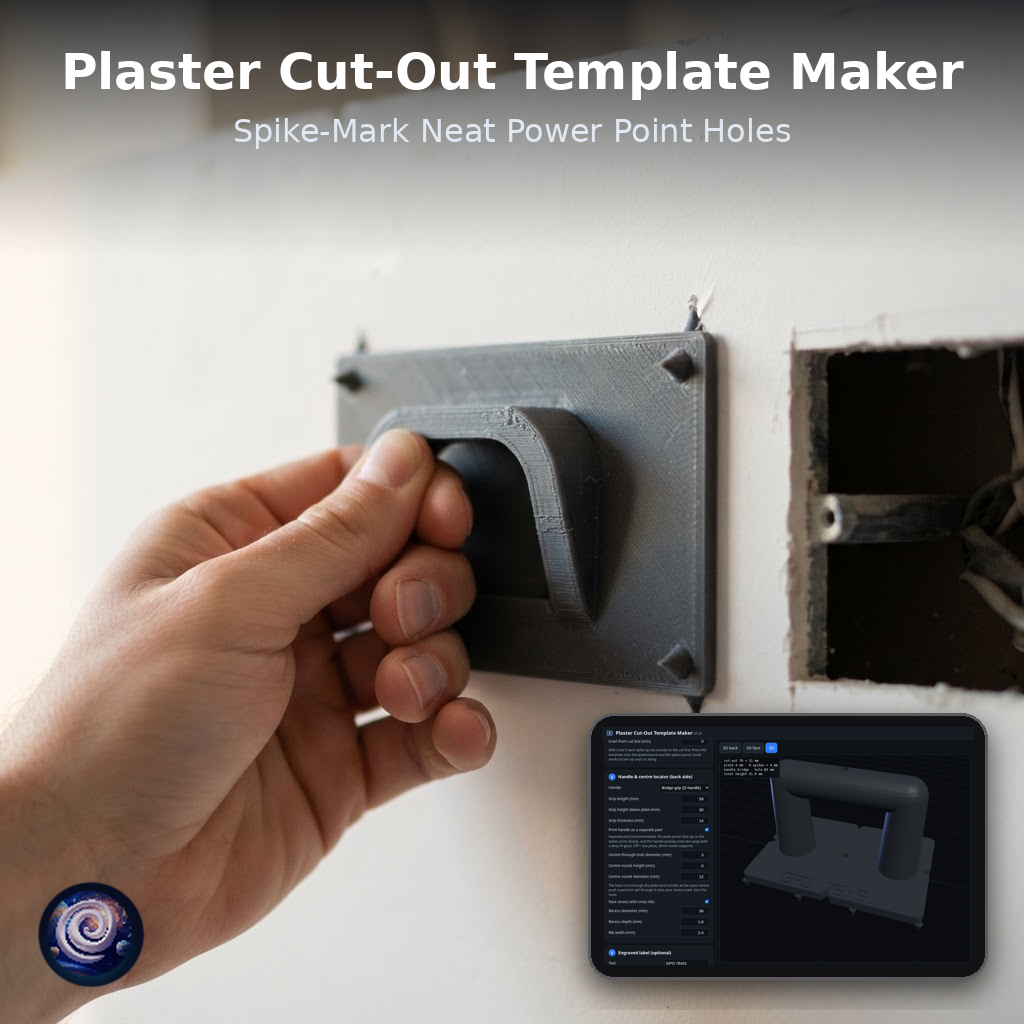
Make a 3D printable plasterboard cut-out template for power points, switches, data/TV plates and downlights. Pick an Australian preset or enter your own size, preview in 2D and 3D, check it fits your print bed, then export a watertight STL. Place the centre nozzle over your mark, trace around the plate and cut a neat, square hole.
How it works
- 1
Step 1Pick a bracket, box or downlight from the library (power points, wall box, double gang, downlights) or enter a custom size, then size the plate.
- 2
Step 2Set the handle and centre locator, then check the face view: the corner spikes punch marks into the plasterboard exactly on the cut line.
- 3
Step 3Check the 3D preview of the template with its bridge handle, spikes and optional engraved label.
- 4
Step 4Choose your printer bed. The app warns you if the parts don't fit. Then click Export STL and follow the built-in "How to use the printed template" steps.
Comments (0)
No comments yet. Be the first!
At a glance
Category
Made by the community
Real builds and tips from makers using Plaster Cut-Out Template Maker v1.0.